ERPNext implementation partner:Run the whole business on ERPNext, your way.
From lead to purchase to production to invoice, all in one place.
- Frappe partner level
- Certified Bronze Partner (opens in a new tab)
- User licences
- Unlimited, no per-user fee
- Indian tax filing
- GST, e-invoicing, GSTR-1/2/3B
What ERPNext is
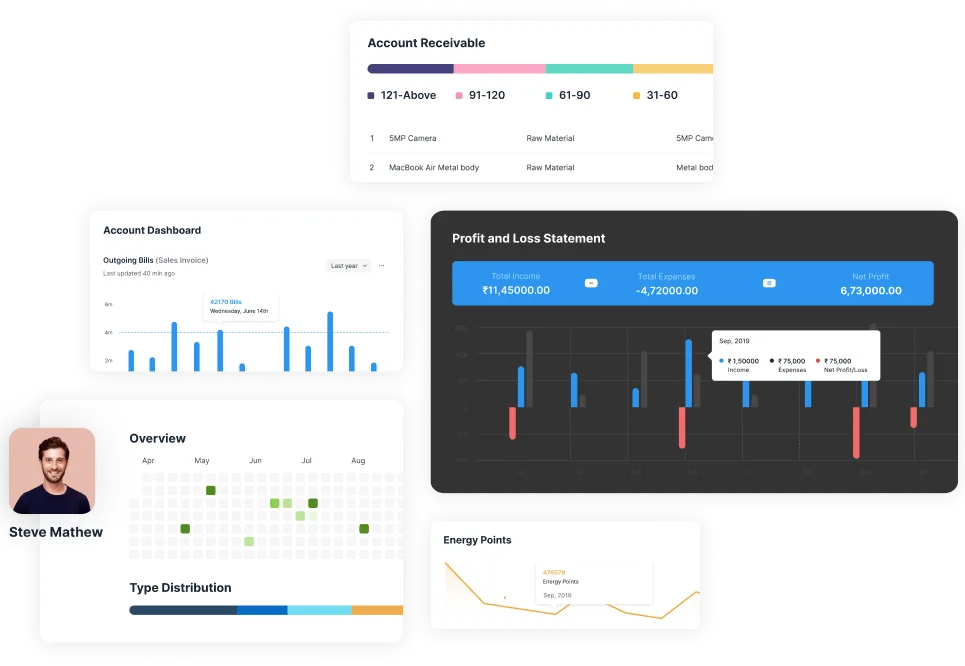
One system for every department, and room for the ones you haven't opened yet. ERPNext is open source, so a new branch, warehouse or production line needs no new licence or module purchase.
What it replaces
- Godown registerLive stock, by godown
- The spreadsheet one person keepsReports anyone can open
- A separate billing packageInvoice made from the order
- Calls to ask where things areStatus on the order itself
- WhatsApp groups per departmentComments on the record
What ERPNext does
Seven stops, in the order goods and money move through the business.
From the indent to the supplier payment, as one chain of records.
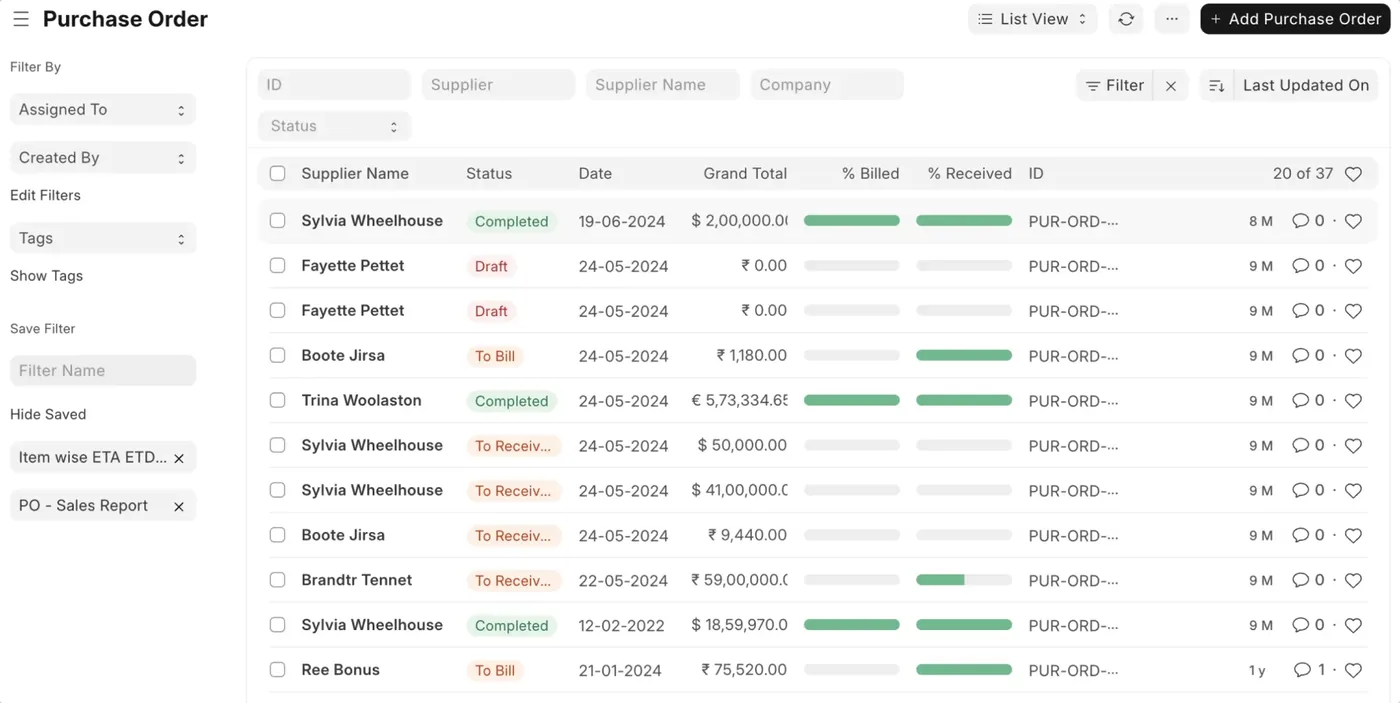
- IndentRaised by the store, a work order, or stock falling below its reorder level.
- Supplier quotationsAsk several suppliers at once and compare their rates side by side.
- Purchase orderWith approvals at as many levels as you need before it goes out.
- Goods receivedReceived against the order, with short and excess quantities shown.
- Purchase invoiceBilled against the order or receipt, so billed and received never drift apart.
- Supplier scorecardSuppliers rated on delivery, quality and price over time.
Items and warehouses, valued against the same ledger as the accounts.
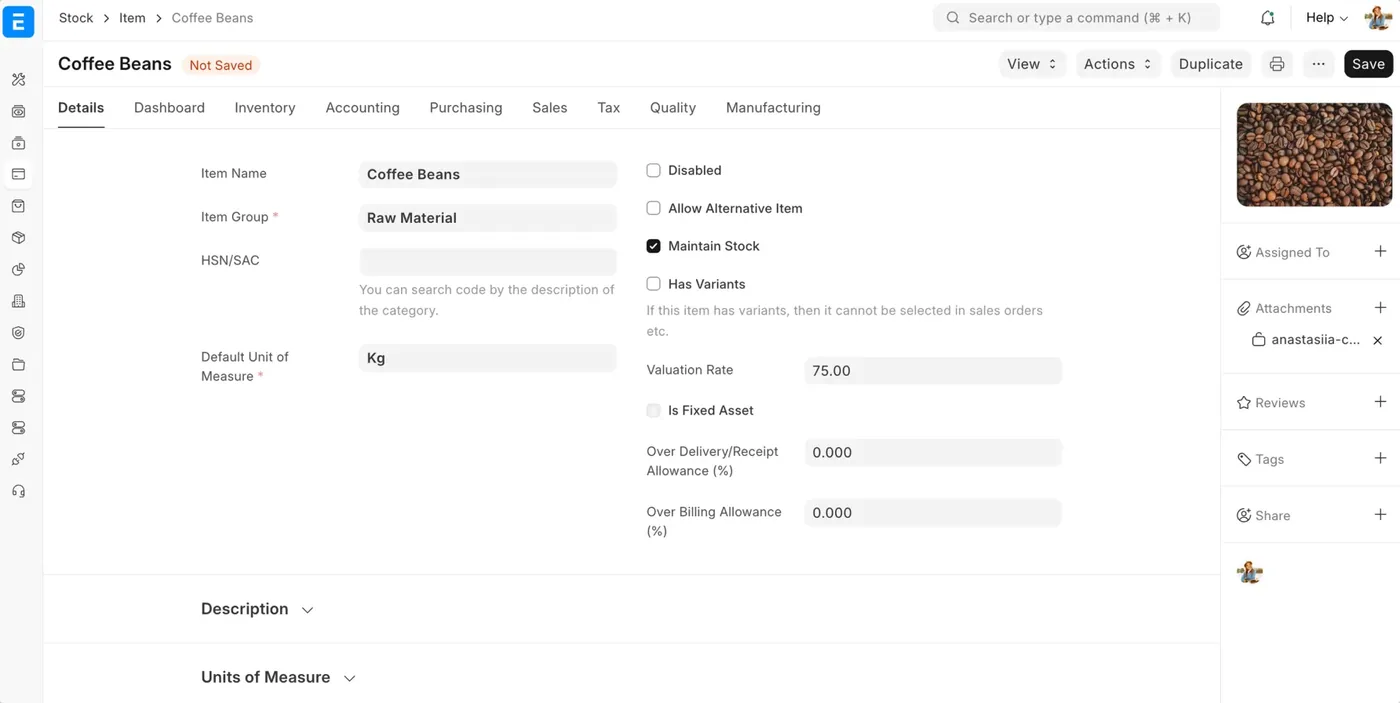
- Items and variantsGroups, units and variants by size, colour or grade, without a code for each by hand.
- WarehousesA tree of locations, from branch to godown to rack.
- Serial and batchTracked per piece or per batch, with expiry. Decide this before go-live.
- TransfersMoves between warehouses, issues and receipts, each one a posted entry.
- ReorderReorder levels per warehouse raise the indent for you.
- ValuationFIFO, moving average or LIFO, posted to the accounts as stock moves.
From the bill of material to the finished good, and what it really cost.
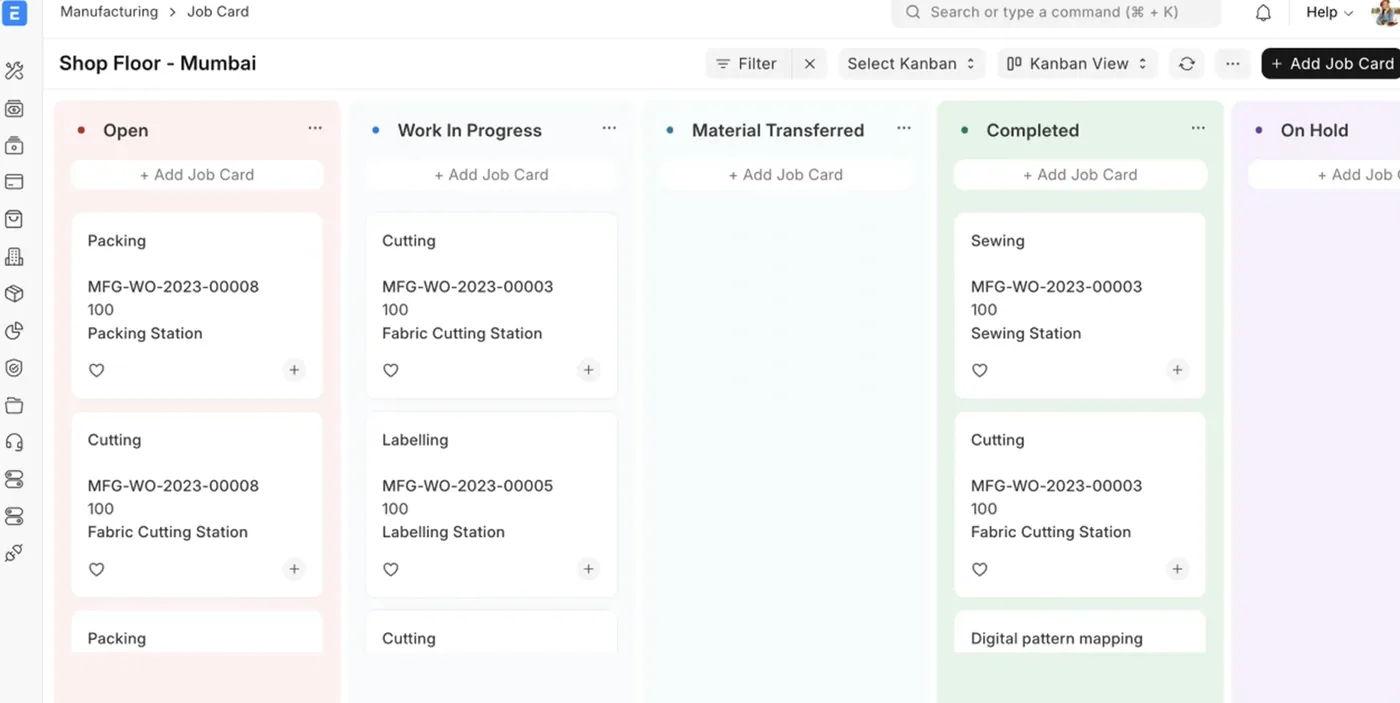
- Multi-level BOMSub-assemblies, operations, scrap and cost in one tree.
- Production planSales orders in, work orders and indents out, in one run.
- Work orderMaterial issued, consumed and finished goods received against one order.
- Job cardsEach operation at each workstation, with time logged on the shop floor.
- SubcontractingMaterial sent to a job worker and received back as something else, fully on record.
- CostingActual cost per work order, set against what the BOM said it would be.
Each inspection kept on the goods it checked.
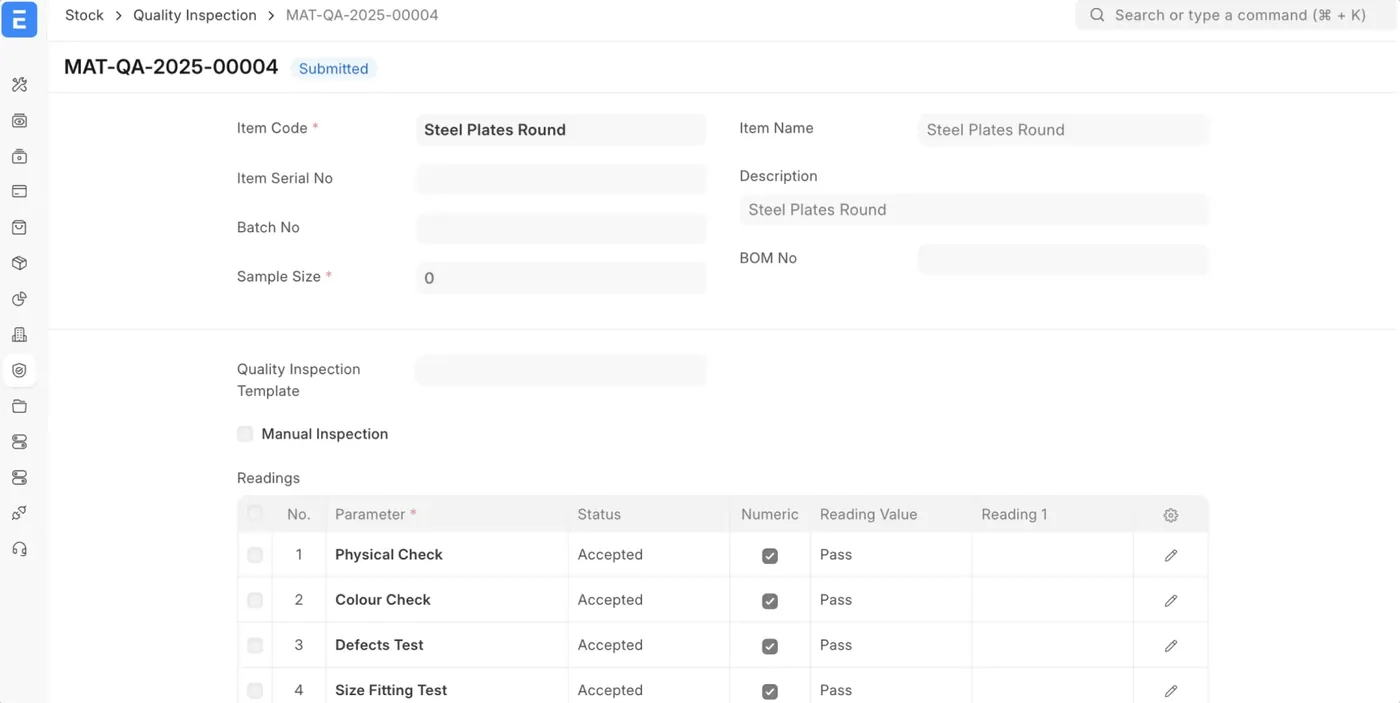
- Inspection templatesThe checks and acceptable readings, set once per item.
- IncomingInspected on the purchase receipt, before the stock is accepted.
- In process and outgoingInspected on the job card and the delivery as well.
- Non-conformanceRecorded with the corrective action and who owns it.
- Batch historyThe inspection for any batch, ready when a customer audit asks for it.
From the quotation to the payment, each document made from the one before.
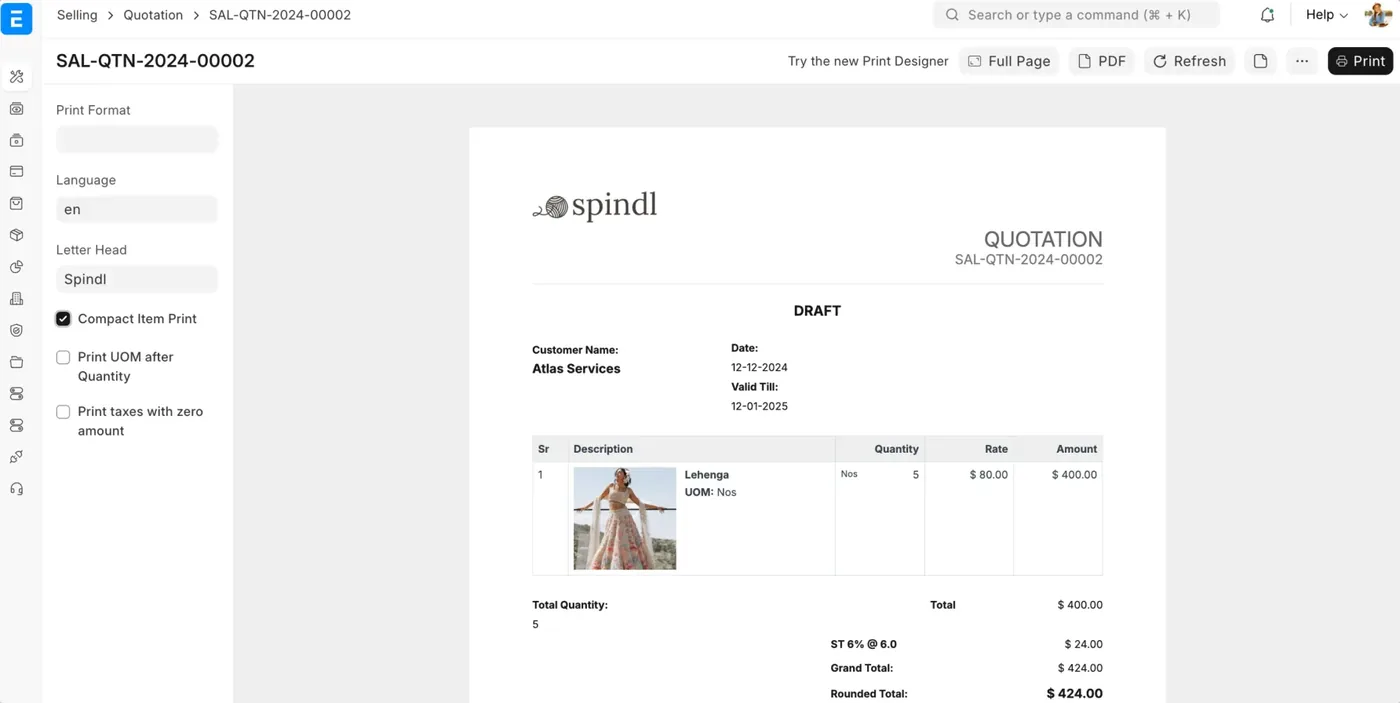
- QuotationPriced from your price lists, with your terms and your print format.
- Pricing rulesDiscounts and schemes by customer, item group, quantity or date, applied for you.
- Sales orderMade from the quotation in one step, with delivery dates tracked.
- DeliveryPart deliveries against the order, and what is still pending always in view.
- Sales invoiceMade from the order or the delivery, with GST worked out on every line.
- PaymentReceipts matched to invoices, and the outstanding updates itself.
A counter that writes into the same stock and the same books.
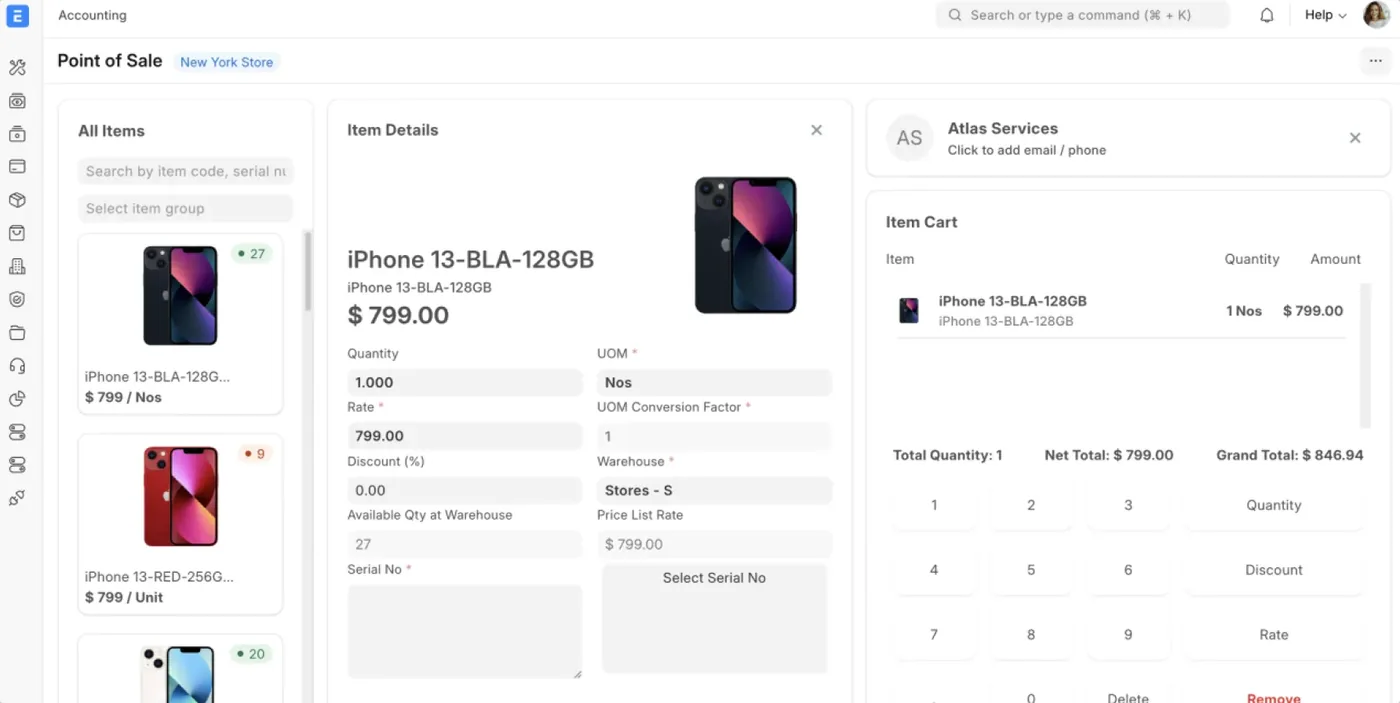
- POS profilePer counter: its warehouse, price list, payment modes and print format.
- BillingSearch or scan, bill, and take cash, card or UPI on one screen.
- ShiftsOpening and closing entries per cashier, with the cash counted against the system.
- Every branchAll counters on one system, each selling from its own stock.
- Loyalty and couponsPoints and coupon codes applied at the counter.
The books, and the ledger every other module posts into.
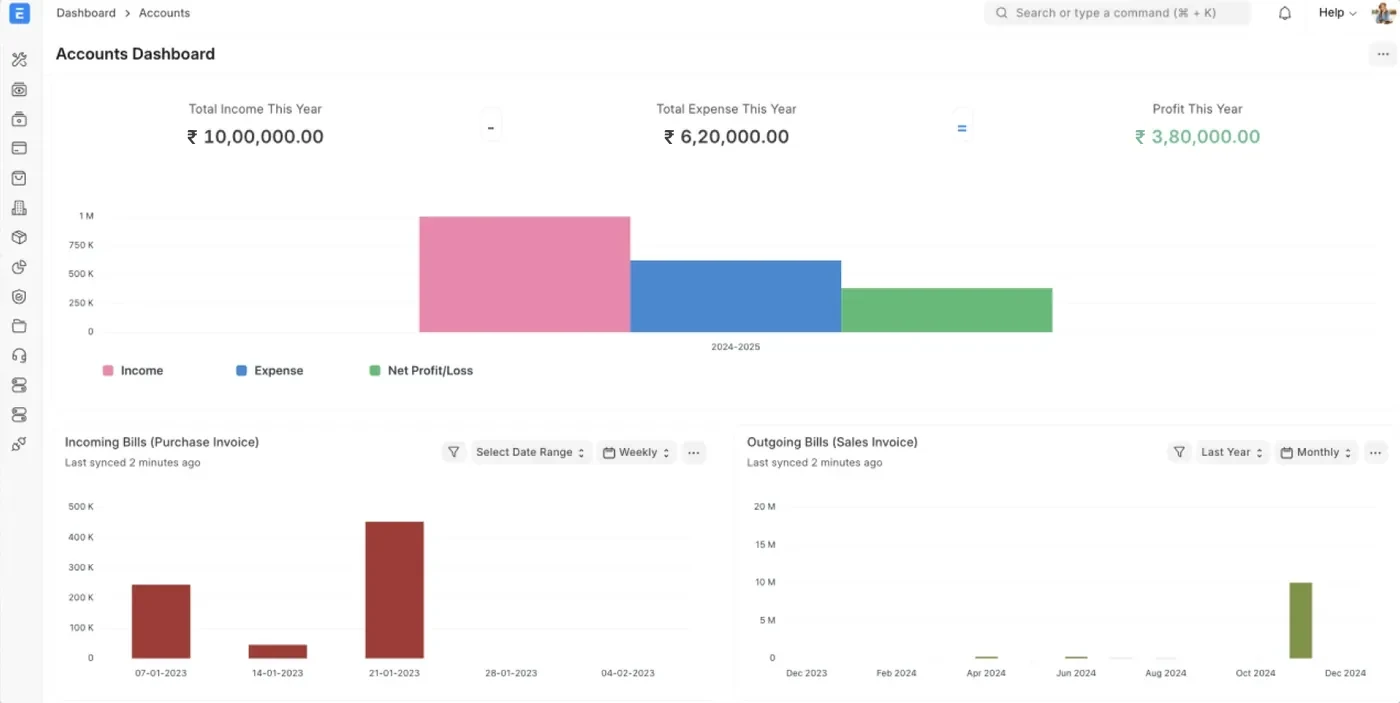
- General ledgerEvery sale, purchase and stock move posts here with no journal typed by hand.
- Receivables and payablesAgeing by customer and supplier, current as payments land.
- Bank reconciliationStatements imported and matched against the entries.
- Cost centres and budgetsProfit by branch or department, with budgets that warn or stop.
- Several companiesMore than one company and currency in one system, with inter-company entries.
- GSTe-Invoices, e-way bills and GSTR-1 from the same books, with GSTR-2B matched for you.
Swipe for Stock
From the indent to the supplier payment, as one chain of records.
Indent
Raised by the store, a work order, or stock falling below its reorder level.
Supplier quotations
Ask several suppliers at once and compare their rates side by side.
Purchase order
With approvals at as many levels as you need before it goes out.
Goods received
Received against the order, with short and excess quantities shown.
Purchase invoice
Billed against the order or receipt, so billed and received never drift apart.
Supplier scorecard
Suppliers rated on delivery, quality and price over time.
Swipe for Manufacturing
Items and warehouses, valued against the same ledger as the accounts.
Items and variants
Groups, units and variants by size, colour or grade, without a code for each by hand.
Warehouses
A tree of locations, from branch to godown to rack.
Serial and batch
Tracked per piece or per batch, with expiry. Decide this before go-live.
Transfers
Moves between warehouses, issues and receipts, each one a posted entry.
Reorder
Reorder levels per warehouse raise the indent for you.
Valuation
FIFO, moving average or LIFO, posted to the accounts as stock moves.
Swipe for Quality
From the bill of material to the finished good, and what it really cost.
Multi-level BOM
Sub-assemblies, operations, scrap and cost in one tree.
Production plan
Sales orders in, work orders and indents out, in one run.
Work order
Material issued, consumed and finished goods received against one order.
Job cards
Each operation at each workstation, with time logged on the shop floor.
Subcontracting
Material sent to a job worker and received back as something else, fully on record.
Costing
Actual cost per work order, set against what the BOM said it would be.
Swipe for Sales
Each inspection kept on the goods it checked.
Inspection templates
The checks and acceptable readings, set once per item.
Incoming
Inspected on the purchase receipt, before the stock is accepted.
In process and outgoing
Inspected on the job card and the delivery as well.
Non-conformance
Recorded with the corrective action and who owns it.
Batch history
The inspection for any batch, ready when a customer audit asks for it.
Swipe for Point of sale
From the quotation to the payment, each document made from the one before.
Quotation
Priced from your price lists, with your terms and your print format.
Pricing rules
Discounts and schemes by customer, item group, quantity or date, applied for you.
Sales order
Made from the quotation in one step, with delivery dates tracked.
Delivery
Part deliveries against the order, and what is still pending always in view.
Sales invoice
Made from the order or the delivery, with GST worked out on every line.
Payment
Receipts matched to invoices, and the outstanding updates itself.
Swipe for Accounting
A counter that writes into the same stock and the same books.
POS profile
Per counter: its warehouse, price list, payment modes and print format.
Billing
Search or scan, bill, and take cash, card or UPI on one screen.
Shifts
Opening and closing entries per cashier, with the cash counted against the system.
Every branch
All counters on one system, each selling from its own stock.
Loyalty and coupons
Points and coupon codes applied at the counter.
The books, and the ledger every other module posts into.
General ledger
Every sale, purchase and stock move posts here with no journal typed by hand.
Receivables and payables
Ageing by customer and supplier, current as payments land.
Bank reconciliation
Statements imported and matched against the entries.
Cost centres and budgets
Profit by branch or department, with budgets that warn or stop.
Several companies
More than one company and currency in one system, with inter-company entries.
GST
e-Invoices, e-way bills and GSTR-1 from the same books, with GSTR-2B matched for you.
And many more
Assets
Every machine and vehicle you own, from the day it is bought to the day it is sold or scrapped.Projects
For work billed by the job: tasks, time, cost, and whether it made money.- HR and payrollFrappe HR: from joining to the payslip, on the same system as the books.
- CRMFrappe CRM: every lead caught, followed up and turned into a customer in ERPNext.
- SupportTickets raised against the customer who is already in your books.
Statutory / Taxation
Tax is set up before the first invoice goes out, and every return is prepared from the same books the business runs on.
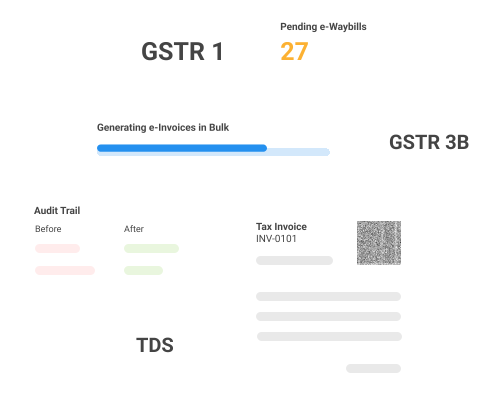
GST and e-invoicing
Tax ledgers, HSN and SAC codes and item tax templates come pre-configured for in-state, interstate and union territory supplies, so the right tax lands on every line.
Purchase reconciliation.
GSTR-2A and 2B are downloaded and matched against your purchase invoices automatically, with every mismatch listed, so no input credit is left unclaimed and late-filing suppliers show up early.e-Invoicing.
The IRN and QR code are generated as the invoice is submitted, and printed on a GST invoice format.e-Waybills.
Generated, updated and cancelled from the invoice or delivery, one at a time or in bulk.GSTIN check.
A customer's or supplier's GSTIN verified live, with its registration status.Returns.
GSTR-1 and GSTR-3B prepared from the books.Audit trail.
Every transaction logged the way compliance requires.
On Frappe Cloud, the government API access behind all of this is included at no extra cost.
TDS and TCS
Deducted as you book.
Each supplier carries its TDS section, and the deduction is worked out on the purchase invoice or payment, once the yearly threshold is crossed.Lower deduction certificates.
A supplier's reduced rate applies until its certificate limit or date runs out.TCS on sales.
Collected on the invoice where the rules require it.Quarterly returns.
Deductions summarised by section and party, ready for 26Q and 27Q.
Built for your industry
- ManufacturingProduction planning, material issue, subcontracting and costing, each currently in its own place.
- Distribution and tradingWhat is available to promise for a fast-moving item, right now, across every location.
- RetailA counter, a stock room and a set of books that agree with each other.
- E-commerceStorefront orders arriving as records, with no daily export to import.
ERPNext also serves
- Engineering (EPC)
- Healthcare
- Professional services
- Education
- Financial services
- Non-profits
Custom apps
When a process no product covers needs software, we build it on Frappe Framework, the same platform ERPNext runs on, so it lands inside the system you already use.
- The same database. New records sit alongside your customers, items and invoices, with nothing to keep in sync.
- The same login and permissions. Users, roles and record-level rules carry straight over to the new app.
- One set of infrastructure. Backups, updates, hosting and security stay one job.
- Only your part is written. Forms, lists, reports, printing, email, an API and a mobile-ready interface come from the framework. What we build is the part specific to your business.
- One database
- One login and permissions
- One set of backups and updates
Approvals and reports can be automated on the same platform too. SeeAutomation.
How we implement
- StudyWe sit with the people who do the work and write down how the business runs today.
- ConfigureChart of accounts, items, warehouses, BOMs, workflows and permissions.
- MigrateMasters, then balances from your current software, reconciled until the numbers agree.
- TrainOn your own data, not a demo company.
- Go liveRun alongside your current software for as long as you choose, then switch.
- ImproveWe review how the system is used and improve the processes around it.
What we need from you
- One person who can make decisions.
- One person who will own the system after go-live.
After go-live
Support continues for as long as you run it.
What it costs
Hosting on Frappe Cloud
Managed by Frappe, with updates and backups handled. We set it up and support it.
Unlimited users on every plan. No per‑user fee.
- Shared plan
- from ₹4,100 + GST a month
- Dedicated plan
- from ₹10,000 + GST a month
Implementation and custom apps
Quoted per project, once we have studied how your business runs.
A custom app is quoted on its scope.
Tell us what gets typed twice.
One call about your real process. You leave knowing where ERPNext fits.
- Hours
- Mon-Sat, 10am-6pm IST
- Office
- Frontier Tower, 180, GT RoadMiller GanjLudhiana, Punjab
Thanks, we have it.
Your enquiry is with us. We reply within one working day, on the phone number or email you gave.