Skip to content

ERPNext · Frappe Helpdesk

Support without limits.

Open-source helpdesk software with unlimited agents.

Agents
UnlimitedNo per-agent pricing
Tickets from
Email, forms, portal
Platform
Frappe, same as ERPNext

Frappe Helpdesk

Customer support shouldn't be stressful or expensive. Frappe Helpdesk gives your team just what it needs: ticket tracking, SLAs, and a clean, intuitive system without per-agent pricing or clutter.

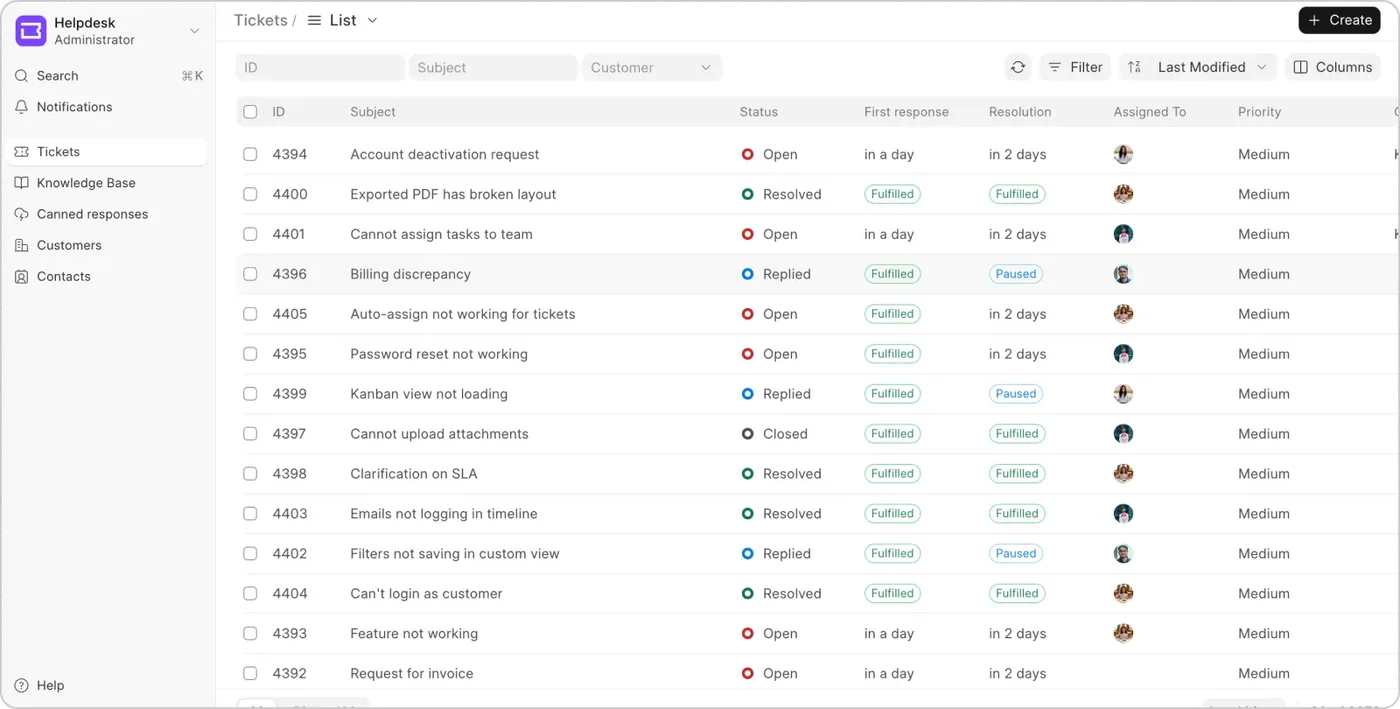
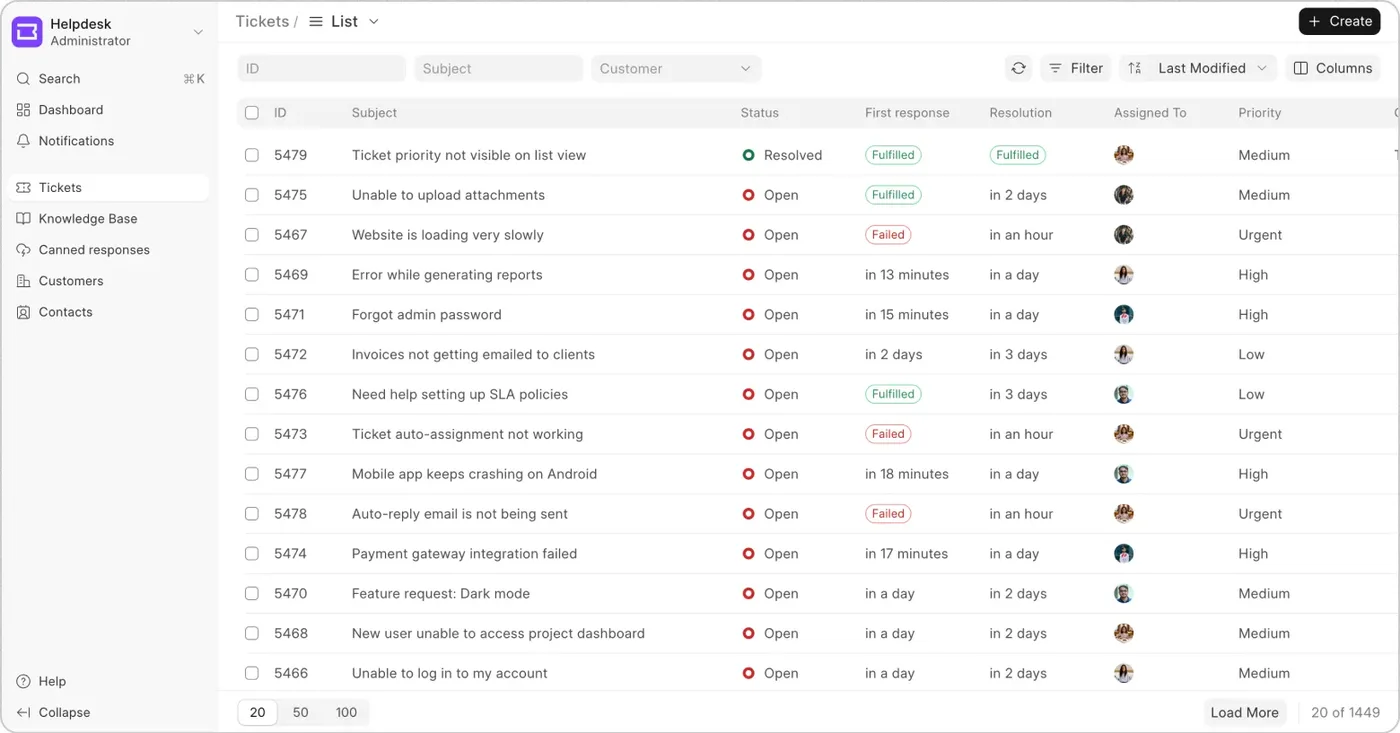
The Frappe Helpdesk ticket list: subject, status, first-response and resolution targets, assignee and priority for each ticket.
Frappe Helpdesk · Frappe Technologies

Ticket management

If you've ever tried managing support over email, you know how messy it gets. Some issues get missed. Others are handled twice. And most of the time, you're not even sure who's working on what. The problem isn't your team, it's the lack of a system. Frappe Helpdesk gives you that system: one place where all your support tickets come in, get assigned, and move toward a clear resolution.

One queue for all tickets

Someone might send an email, fill out a form, raise an issue through the portal, or your team might create a ticket manually. No matter where a ticket starts, it lands in a single shared queue that your team can work from, so agents can focus on solving issues, not searching for them.

Conversations stay in one place

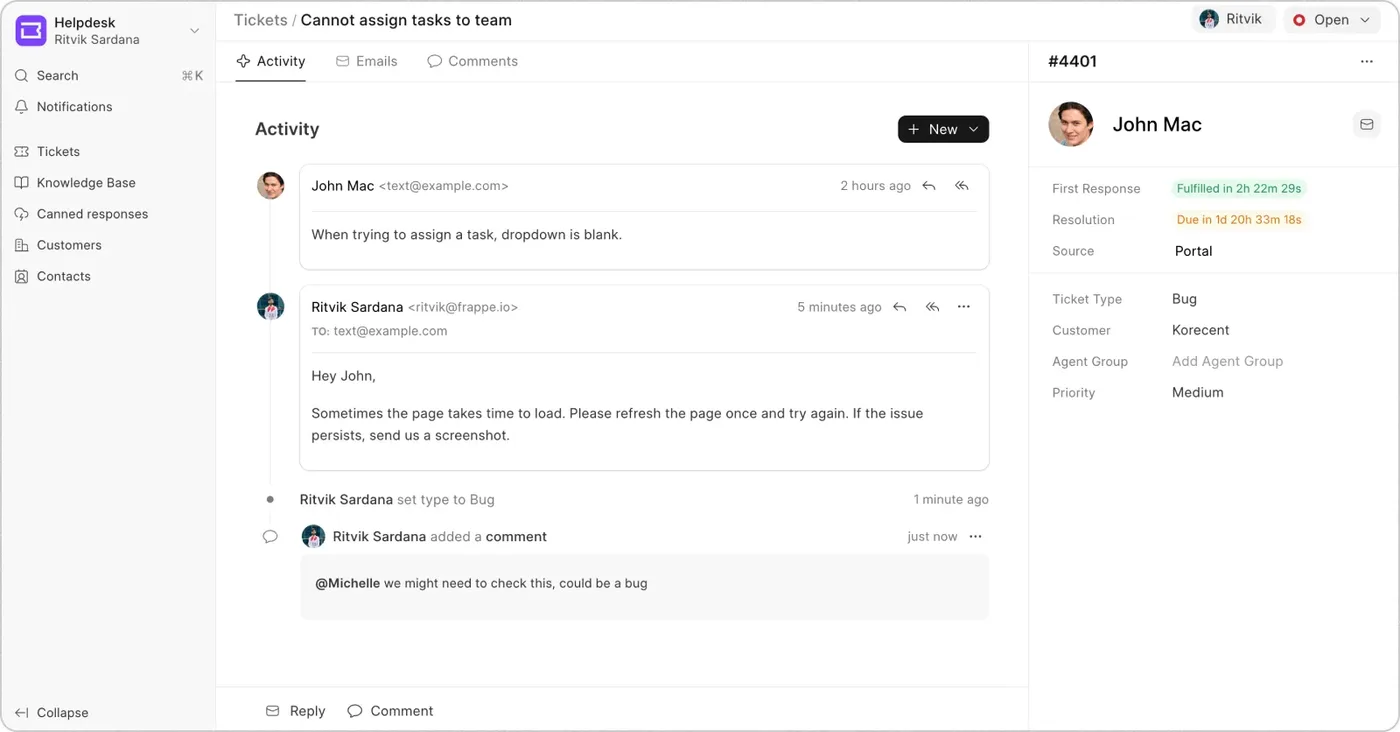
Once a ticket shows up, you can set the priority, choose a status, and assign it to someone on the team. Agents reply to the customer directly from the helpdesk, and the response lands in their inbox or on the portal, depending on how the ticket came in. If they need help from a teammate, they leave a private comment on the ticket. Everything related to the issue stays in one thread.

A ticket open in Frappe Helpdesk: the customer's message, the agent's reply and an internal comment in one activity thread, with first-response and resolution status down the right.
Frappe Helpdesk · Frappe Technologies

Split and merge tickets

A customer might report multiple issues in one message, or send separate tickets about the same thing. You can split one ticket into smaller ones, or merge similar tickets from the same customer into one. It avoids duplication and makes it easier to respond clearly.

Canned responses

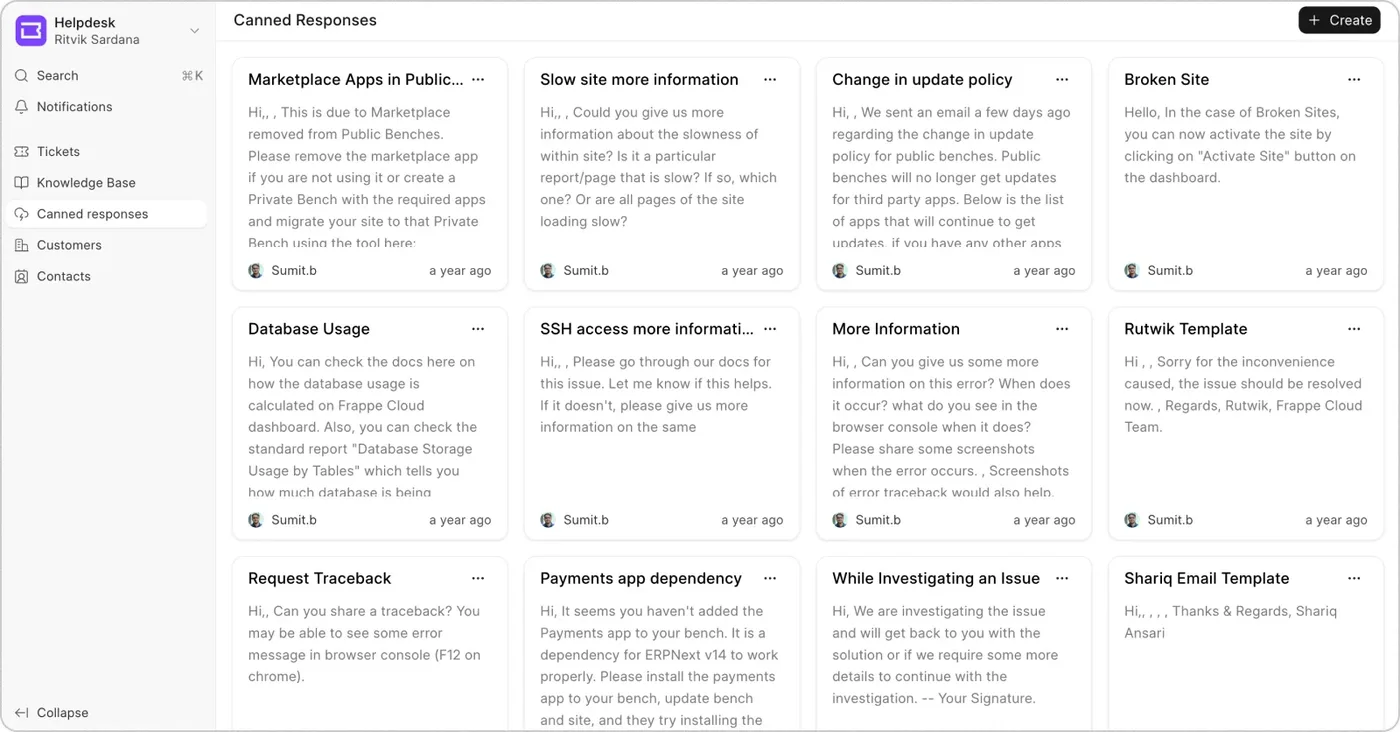
How to reset a password, where to download an invoice: the answers rarely change. Agents save these replies as canned responses and send them when a similar question comes in. It's faster, more consistent, and leaves more time for the tickets that need thinking.

The canned responses screen: a grid of saved replies, each with a title, the start of its text and who wrote it.
Frappe Helpdesk · Frappe Technologies

Service level agreements

One of the simplest ways to keep customers happy is to respond on time. Define SLAs that match your support goals, with different response and resolution times depending on the type of issue, its priority, or which team is handling it.

SLA rules based on the ticket

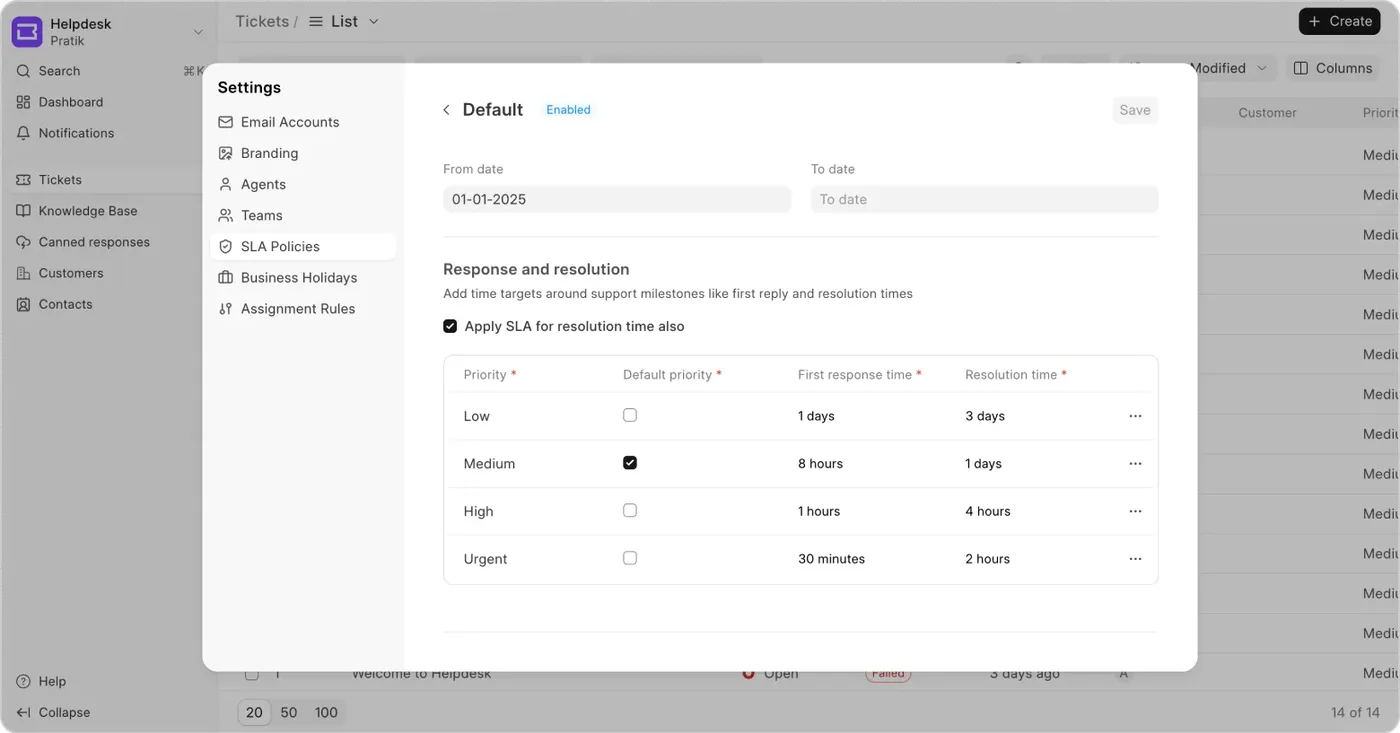
Not every issue needs the same response time. Set response and resolution targets by the ticket's category, priority or team. You can also define when the timer pauses, outside working hours or on holidays, so urgent tickets get handled faster while everything else follows a timeline that makes sense.

An SLA policy in Helpdesk settings: first-response and resolution times for Low, Medium, High and Urgent priority.
Frappe Helpdesk · Frappe Technologies

Track what's due, and get notified before it slips

Frappe Helpdesk tracks every ticket against its SLA, so you can see which are on schedule, which are at risk, and which need attention now. Server scripts can send your team automatic reminders when a ticket is close to breaching its SLA.

The ticket list with SLA columns: first response and resolution shown as fulfilled, failed, or due in a stated time.
Frappe Helpdesk · Frappe Technologies

Assignment rules

When a ticket comes in, someone has to decide where it goes. Doing that by hand every time slows things down and leaves tickets stuck or missed. Frappe Helpdesk automates this step, so tickets go to the right person right away.

Assign based on rules

Route tickets automatically on category, priority, keywords or custom fields. The system checks those conditions and sends the ticket straight to the right team.

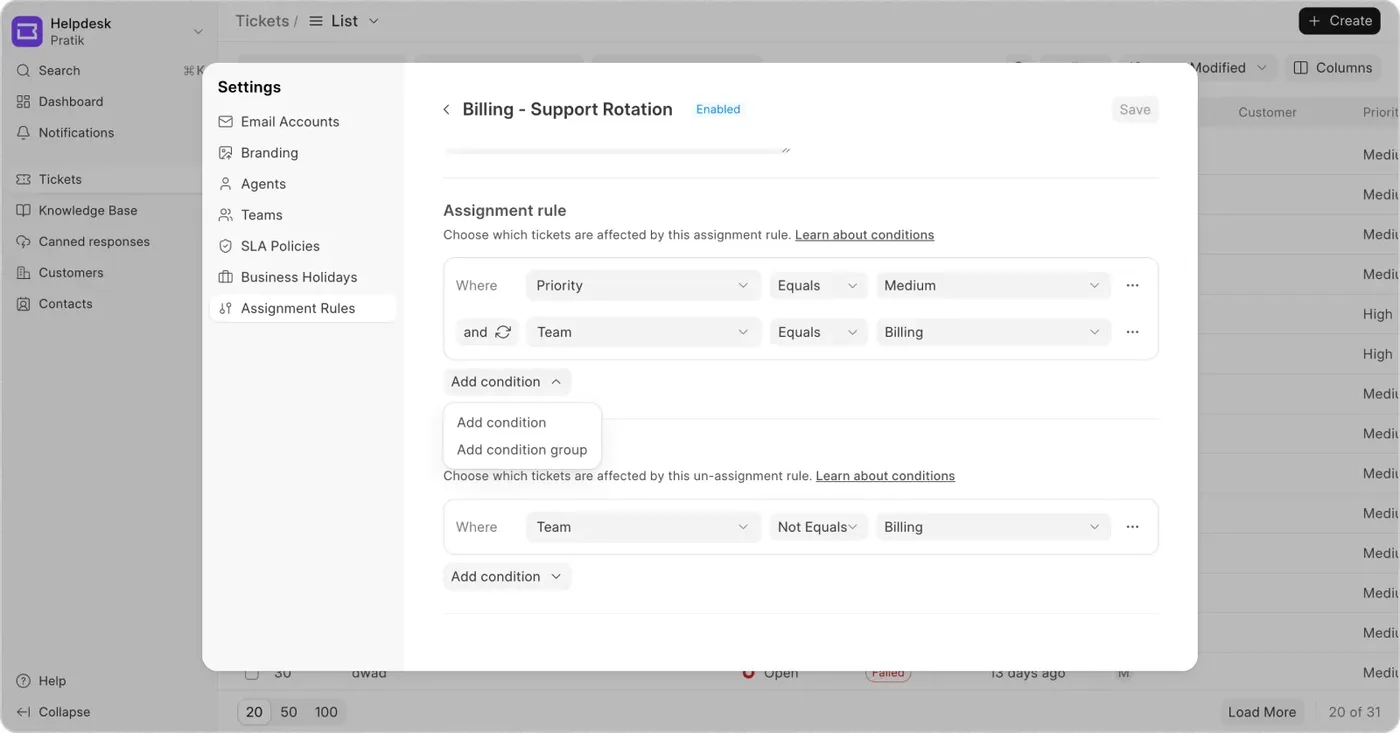
An assignment rule called Billing - Support Rotation: tickets where priority is Medium and team is Billing get assigned by this rule.
Frappe Helpdesk · Frappe Technologies

Round-robin, workload and escalation

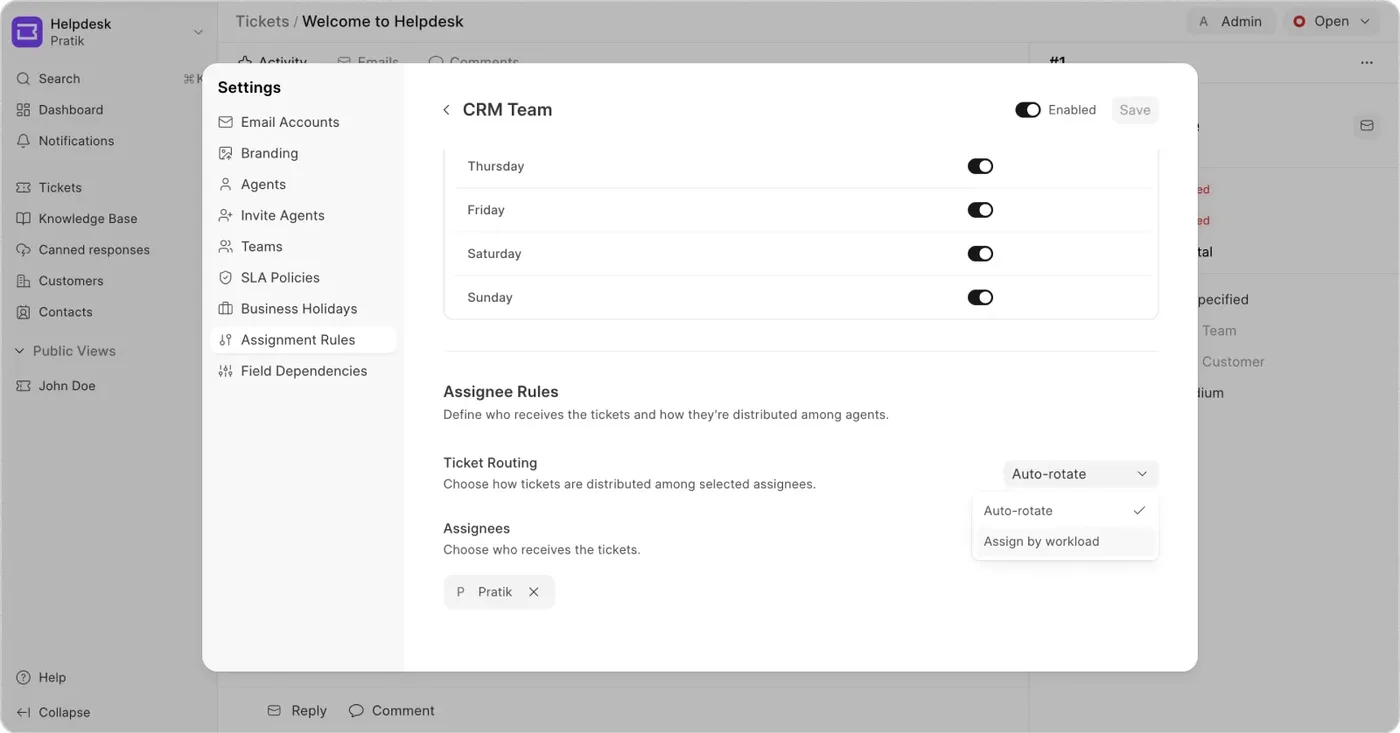
Distribute tickets across the team round-robin or by workload, so no one is overwhelmed. Each team can have its own agents. Tickets that stay open too long or are marked high priority can be escalated: reassigned to another agent group, moved from L1 to L2 or L3, or routed to another team entirely.

A team's assignment settings: working days toggled on and off, and ticket routing set to auto-rotate, with assign by workload as the other choice.
Frappe Helpdesk · Frappe Technologies

Customer self-service

Customers don't always want to wait for support. They just need a way to ask for help or find answers on their own. Frappe Helpdesk gives them a simple way to raise tickets and read helpful articles.

Raise and track tickets from the portal

The customer portal lets customers raise new tickets, track progress and SLA, and read responses in one place, without digging through emails. Their history stays there too, so nothing gets lost or repeated.

Help articles that reduce tickets

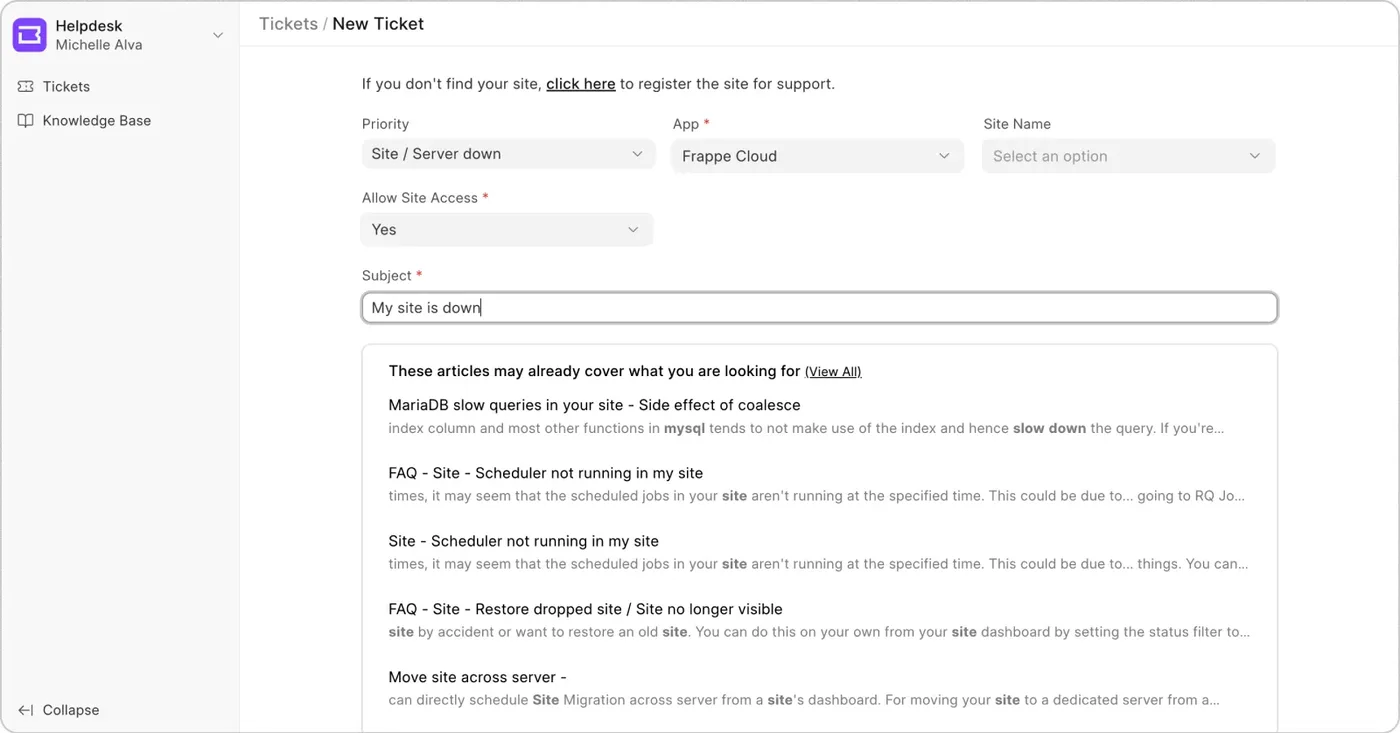
Your agents can build a knowledge base of simple, helpful articles. When a customer starts typing the subject of their issue, Frappe Helpdesk shows relevant articles right away. If they find what they need, they may not need to raise a ticket at all.

A customer raising a new ticket on the portal: as they type the subject, matching knowledge base articles appear beneath it.
Frappe Helpdesk · Frappe Technologies
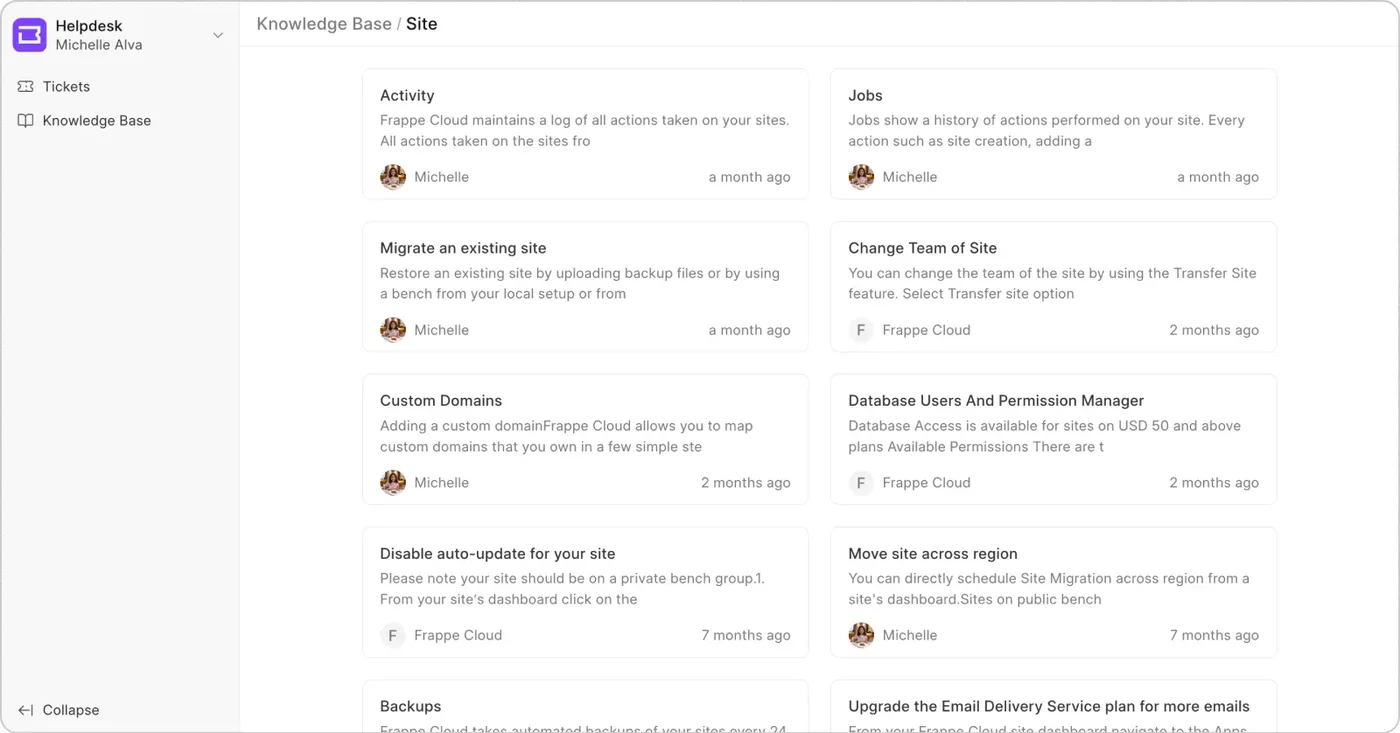
A knowledge base category on the portal, laid out as cards, one per article, each with its opening lines.
Frappe Helpdesk · Frappe Technologies

Customisation and controls

Every support team works a little differently. The fields you track, the views you need, and the rules you follow may not look like anyone else's. Frappe Helpdesk lets you shape the system around how your team actually works.

  • Custom fields. Customer type, product version, internal reference IDs. You control what customers see on the portal and what stays visible only to your team.
  • Custom views. Saved views on team, status, priority or custom fields, like "Urgent Tickets" or "Tickets Waiting on Customer". Keep them private, or share them.
  • Ticket automation. Simple scripts to auto-close tickets after a few days of inactivity, and reminders when an agent is assigned, mentioned, or a customer replies.
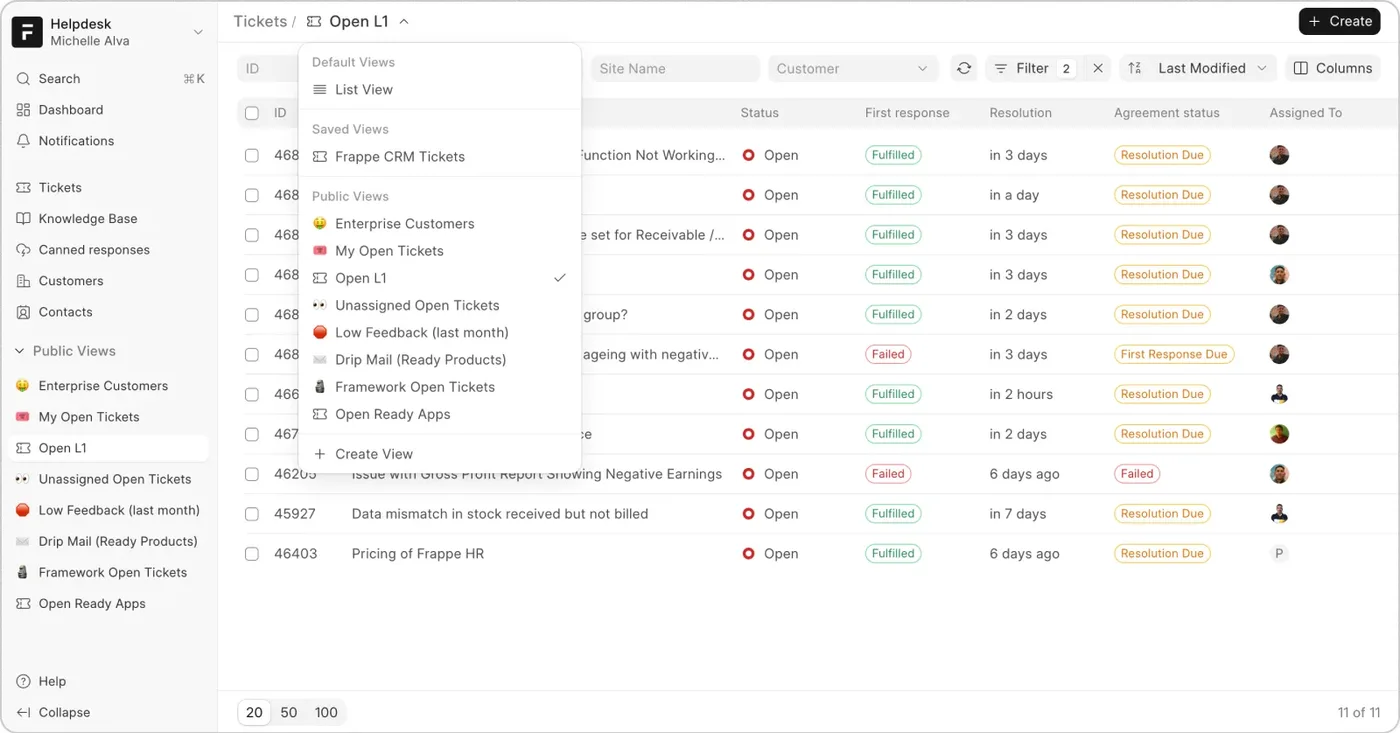
The ticket list with the views menu open: saved and public views such as Enterprise Customers, My Open Tickets and Unassigned Open Tickets.
Frappe Helpdesk · Frappe Technologies

Insights and reporting

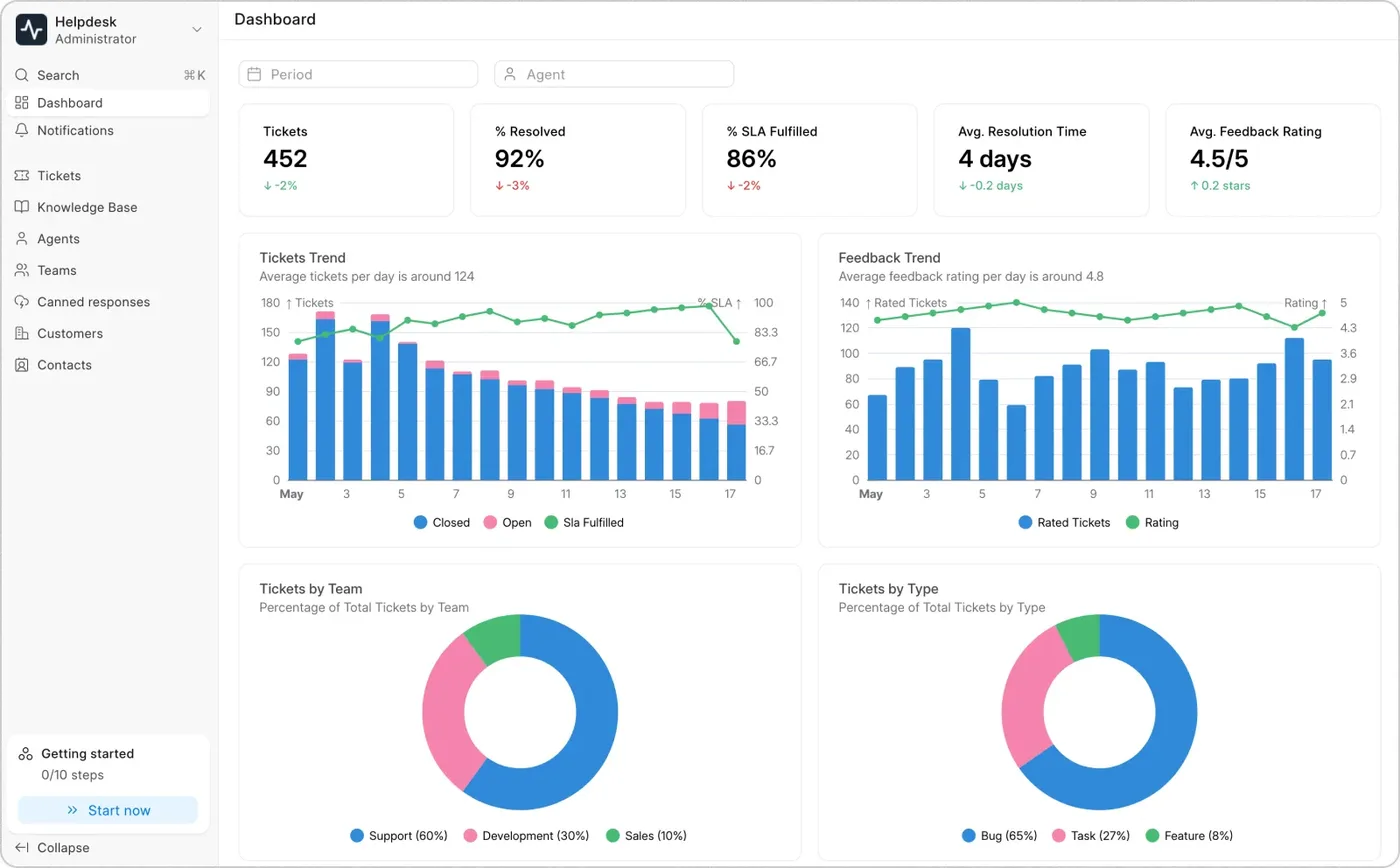
It's hard to improve support if you can't see what's going wrong. Are tickets piling up? Are SLAs being missed? Who's overloaded and who's idle? Built-in dashboards track open against closed tickets, SLA breaches, team performance and resolution times in one place.

The Helpdesk dashboard: ticket count, percent resolved, percent SLA fulfilled, average resolution time and feedback rating, with ticket trend, feedback trend, and tickets by team and by type.
Frappe Helpdesk · Frappe Technologies

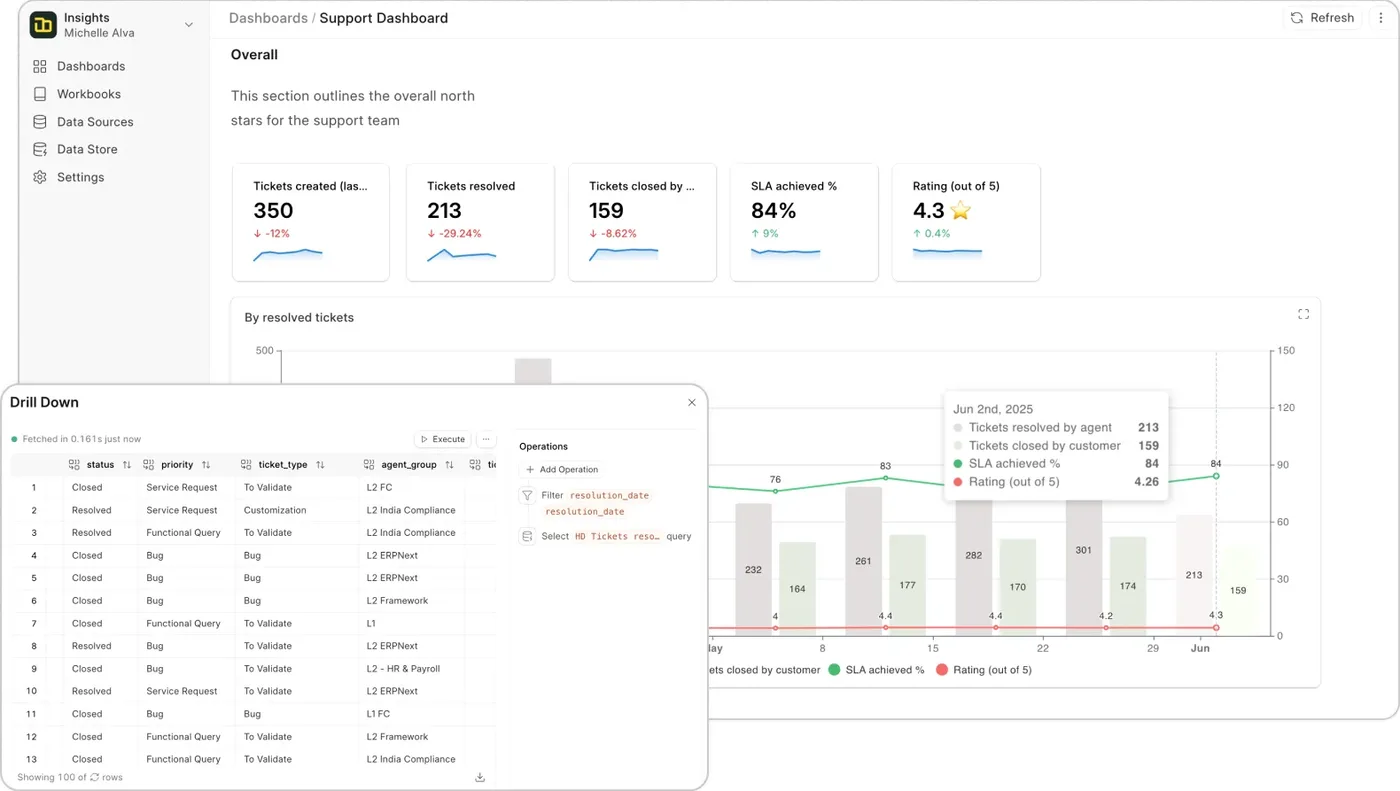
For deeper reports, Frappe Helpdesk connects with Frappe Insights. Build custom reports and dashboards without code, joining tickets, agents and SLAs, and drill down into a segment with one click. Reports can be shared or scheduled for regular delivery.

A support dashboard in Frappe Insights, with a drill-down table open over a chart of resolved tickets.
Frappe Helpdesk · Frappe Technologies

On the phone

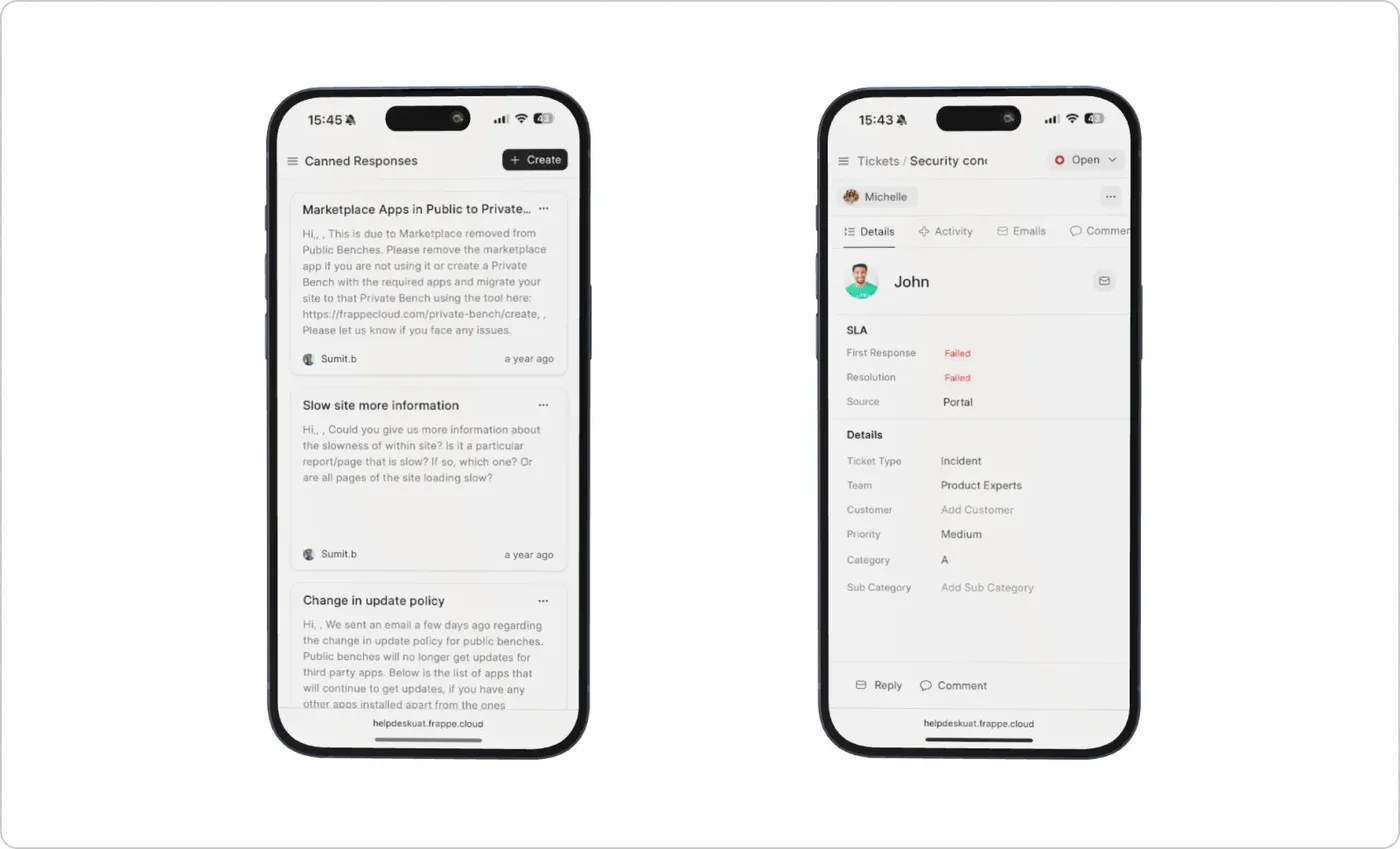
Support doesn't always happen at a desk. Frappe Helpdesk works as a progressive web app, so you can pin it to your phone's home screen and open it like any other app. Nothing to install, no updates to manage, no storage used. View and reply to tickets, change statuses, and stay in the loop from wherever you are.

Frappe Helpdesk on two phones: the canned responses list, and a ticket with its SLA status and details.
Frappe Helpdesk · Frappe Technologies

No per-agent pricing

Add as many agents as you need without worrying about extra cost. Frappe Helpdesk is open source: customise it, extend it with the Frappe Framework, and deploy it the way you want.

Why Frappe built it

“ERPNext had a basic support module, but its user interface for handling tickets was basic and generic. Recognising the need for a robust, open-source helpdesk solution and driven by our own internal requirements, we developed Frappe Helpdesk with a user-friendly interface designed specifically for efficient ticket management. Today, Frappe Helpdesk is an essential part of our internal support operations, serving over 7,000 customers across all our products.”

From Frappe's product engineering team, on frappe.io.

Questions

Does Frappe Helpdesk need ERPNext?

No. It runs on the Frappe platform on its own. Beside ERPNext orFrappe CRM, it shares customer records, so support sees what the customer bought and sales sees what they have raised.

Are the SLA targets a promise?

They are a setting in the software, and you choose them. Keep them separate from anything a supplier promises you, us included, which is a different conversation.

Talk to us

Call +91 98554 31488. Tell us where your support requests arrive now, whether that is a shared inbox, WhatsApp or phone, and how many people answer them.

Tell us what breaks at month-end.

One call, your real books, no slide deck. You leave knowing what to fix first.

Hours
Mon-Sat, 10am-6pm IST
Office
Frontier Tower, 180, GT RoadMiller GanjLudhiana, Punjab
Your industry (optional)

We reply within one working day. No mailing list.